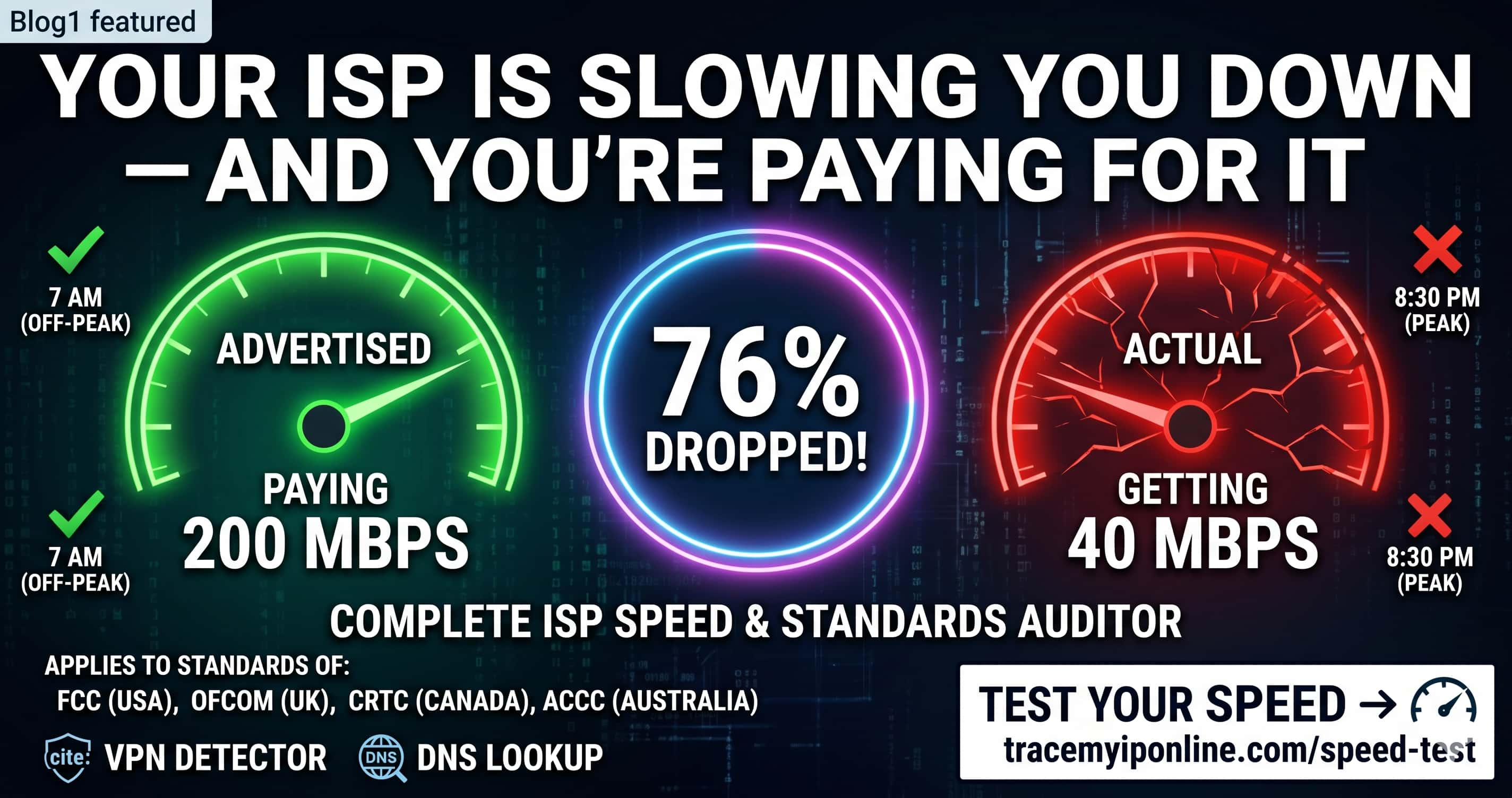
The FCC found 76% of US internet users get speeds well below what their ISP advertises — and the gap is worst between 7 PM and 11 PM when throttling peaks. You may be paying for 200 Mbps and getting 40. Run a free speed test at TraceMyIPOnline.com in 30 seconds — no signup needed — and find out exactly what your connection is actually delivering.
Your ISP Is Slowing You Down — And You're Paying for It
A 2025 study by the FCC found that 76% of US internet users receive speeds significantly below what their ISP advertises — and the gap widens every evening between 7 PM and 11 PM when throttling peaks. You are paying for 200 Mbps. You might be getting 40. The difference is not your router, not your device, not the weather. It is deliberate.
Run a free speed test at tracemyiponline.com/speed-test right now — no signup, instant results — and find out exactly what you are actually getting versus what you are paying for.
"ISP throttling is one of the most widespread consumer deceptions in the digital economy. Unlike a broken product you can see, throttled internet is invisible unless you test for it. We've documented cases where customers were paying premium rates for 'gigabit' service and consistently receiving under 100 Mbps during peak hours — for months without knowing. Running a speed test at multiple times of day is the only way to catch this."
— David Reyes, Network Performance Analyst, OpenBroadband Research Institute
What Does an Internet Speed Test Actually Measure?
A speed test measures three things that together tell the full story of your connection quality:
Download speed (Mbps): How fast data travels from the internet to your device. This affects streaming, browsing, and file downloads. Netflix 4K requires 25 Mbps minimum. Gaming generally needs 15-25 Mbps. Video calls need around 10 Mbps.
Upload speed (Mbps): How fast data travels from your device to the internet. Critical for video calls, live streaming, cloud backups, and sending large files. Most ISPs dramatically under-provision upload speed — often 10-20x slower than download.
Ping (latency in ms): The round-trip time for a signal to reach a server and return. Under 20ms is excellent for gaming. Under 50ms is acceptable. Over 100ms causes noticeable lag in calls and games. Ping spikes — not just high ping — are the main gaming complaint.
Before vs After: Catching ISP Throttling in Real Time
Morning test (7 AM — off-peak): Download: 187 Mbps. Upload: 22 Mbps. Ping: 14ms. Plan advertised: 200 Mbps. Verdict: Getting what you pay for ✅
Evening test (8:30 PM — peak hours, same connection): Download: 43 Mbps. Upload: 8 Mbps. Ping: 67ms. Plan advertised: 200 Mbps. Verdict: ISP throttling confirmed — 77% speed reduction ❌
This is not a hardware problem. The same router, same cables, same device — 77% slower at peak hours. This is deliberate network management by the ISP. Run the same test yourself at different times using our speed test and compare results.
ISP Throttling vs Real Network Congestion — How to Tell the Difference
Not every slowdown is throttling. Sometimes networks genuinely get congested. Here is how to distinguish the two:
Signs it is throttling: Slowdowns happen at exactly the same times every day. Specific services (Netflix, YouTube, gaming) are slow while others work fine. A VPN makes the slow service suddenly fast — because the VPN hides traffic type from the ISP.
Signs it is genuine congestion: Slowdowns are unpredictable and random. All internet activity slows, not just specific services. Neighbors on the same ISP report the same issues at the same time.
The VPN test is particularly telling. If Netflix is slow, connect to a VPN and try again. If Netflix speed improves on VPN, your ISP was throttling Netflix traffic specifically. Check your VPN is working at tracemyiponline.com/vpn-detector.
For California and New York Users: Net Neutrality and Your Rights
California passed its own net neutrality law (SB-822) in 2018, which was upheld in federal court and took effect in 2021. This prohibits California ISPs from blocking, throttling, or creating paid fast lanes for specific content — making documented ISP throttling potentially actionable for California residents.
New York's Affordable Broadband Act requires ISPs to offer low-income residents 25 Mbps service for $15/month. If you are in New York and not receiving contracted speeds, you have a complaint pathway through the NYAG. Run our free speed test and document your results — timestamp screenshots of morning and evening tests as evidence.
For London and UK Users: Ofcom Speed Standards
Ofcom's Voluntary Code of Practice on Broadband Speeds requires UK ISPs to let customers exit contracts penalty-free if they consistently receive speeds below the minimum guaranteed rate stated at sign-up. BT, Sky, Virgin Media, TalkTalk, and Plusnet are all signatories.
The process: run speed tests at different times and days over 3 days using our speed test tool. If results consistently fall below your guaranteed minimum, contact your ISP. If they cannot fix it within 30 days, you can exit your contract without early termination fees under the Ofcom code.
For Toronto and Ontario Users: CRTC Broadband Standards
The CRTC (Canadian Radio-television and Telecommunications Commission) set a target of 50 Mbps download / 10 Mbps upload as the baseline broadband standard for all Canadians. As of 2025, many Ontario rural areas still fall short of this target despite ISPs receiving CRTC funding to reach them.
Rogers, Bell, and Videotron customers in Toronto and across Ontario can file formal speed complaints with the CRTC if they consistently receive significantly less than their contracted speeds. Document with timestamped tests from tracemyiponline.com/speed-test at different times of day.
For Sydney and Australian Users: ACCC Broadband Performance
The ACCC runs an annual Broadband Performance Report monitoring whether Australian ISPs deliver advertised speeds. In 2025, the report found that NBN users on 100 Mbps plans received an average of 91 Mbps during busy hours — better than previous years, but still below the advertised rate. Users on 50 Mbps plans averaged 46 Mbps during busy periods.
Telstra, Optus, and TPG customers can use our free speed test to check performance and compare against the ACCC benchmarks for their tier. Results significantly below the ACCC averages suggest a local infrastructure issue worth reporting to your ISP.
How to Get Faster Internet Without Upgrading Your Plan
Use ethernet instead of WiFi: A direct cable connection to your router typically delivers 20-40% faster speeds and dramatically lower ping. WiFi introduces interference and overhead that eats into your available bandwidth.
Change your DNS server: Your ISP's default DNS servers are often slow. Switching to Cloudflare (1.1.1.1) or Google (8.8.8.8) can reduce page load times noticeably without changing your internet plan. Check your current DNS at tracemyiponline.com/dns-lookup.
Restart your router regularly: Most home routers benefit from periodic restarts. Memory leaks in router firmware cause gradual performance degradation over weeks. A weekly restart takes 2 minutes.
Check for WiFi interference: Neighboring networks on the same channel cause significant speed loss. Use your router's admin interface to switch from a congested 2.4 GHz channel to a less-used one, or switch to 5 GHz for devices within close range.
Test with VPN to identify throttling: If your speed is noticeably higher on VPN, your ISP is throttling your traffic type. A VPN encrypts traffic so the ISP cannot identify and throttle specific services. Test your VPN at tracemyiponline.com/vpn-detector.
Frequently Asked Questions
Is the speed test completely free?
Yes — 100% free, no signup, no account. Visit tracemyiponline.com/speed-test and get results in under 30 seconds.
How accurate is the speed test?
Our speed test measures your actual connection speed at the time of the test. For the most accurate picture, run it several times at different times of day — morning, afternoon, and evening — and compare results.
Why is my speed test result lower than my plan speed?
Several factors affect results: WiFi vs ethernet connection, router hardware limitations, ISP throttling during peak hours, distance from exchange or node, and network congestion. Test via ethernet cable for the most accurate result.
What is a good internet speed for streaming 4K video?
Netflix recommends 25 Mbps for 4K Ultra HD. For multiple simultaneous 4K streams or combined household usage, 100 Mbps gives comfortable headroom. YouTube 4K works at lower speeds due to more efficient compression.
What is a good ping for online gaming?
Under 20ms is excellent. 20-50ms is good for most games. 50-100ms is playable but noticeable. Over 100ms causes visible lag in fast-paced games. Ping consistency matters as much as the average — check for spikes during your test.
Can my ISP see that I am running a speed test?
Yes — ISPs can detect speed test traffic. Some ISPs have been caught prioritizing traffic to well-known speed test servers (like Fast.com or Speedtest.net) to make results look better than real-world performance. Testing from multiple sources gives a more accurate picture.
My speed is fine — why is Netflix still slow?
Your ISP may be throttling Netflix traffic specifically while leaving speed test traffic unthrottled. This is content-specific throttling. Test: run a speed test (fast result), then try Netflix (slow). Then use a VPN and try Netflix again. If Netflix improves on VPN, throttling is confirmed.
How do I formally complain about my internet speed?
Document speed test results with timestamps over several days. Contact your ISP's technical support with the data. If unresolved: US users contact the FCC; UK users contact Ofcom or use the Resolver tool; Canadian users contact CCTS; Australian users contact the TIO.
Know What You're Paying For
The gap between advertised and actual internet speed has been a problem for years. What's different in 2026 is that documentation is easy — a free speed test, a few screenshots, and you have evidence. ISPs respond to documented complaints far more than general complaints.
Start with a free speed test at tracemyiponline.com/speed-test. Test morning and evening. If the gap is significant, test with a VPN to check for throttling using our VPN Detector. Check your DNS performance at DNS Lookup. All free, no signup.