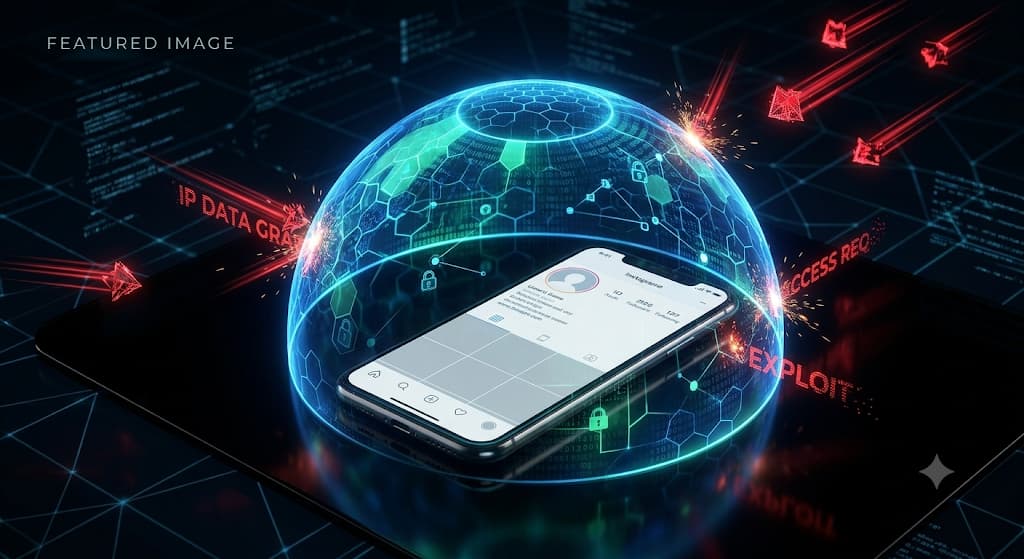
Worried about a hacker finding your real-world location on Instagram? We break down exactly how Instagram handles your IP address, the truth behind "profile viewer" scams, and how to spot malicious IP loggers hidden in your DMs.
Instagram IP Tracker & Location Security: Can You Be Traced? (2026)
Author: TraceMyIPOnline Network Security Team Last Updated: August 2026 Reviewer: OSINT Investigator & Social Media Security Analyst Educational Disclaimer: This guide is intended strictly for educational and cybersecurity purposes. We do not support or endorse illegal tracking, stalking, or any violation of user privacy.
With over 2 billion active users, Instagram is a central hub for sharing daily life. But sharing so much personal information naturally leads to privacy concerns. In 2026, a frequent question asked on tech forums is: Can someone use an Instagram IP tracker to find my exact location?
Author: TraceMyIPOnline Network Security Team Last Updated: August 2026 Reviewer: OSINT Investigator & Social Media Security Analyst Educational Disclaimer: This guide is intended strictly for educational and cybersecurity purposes. We do not support or endorse illegal tracking, stalking, or any violation of user privacy.
With over 2 billion active users, Instagram is a central hub for sharing daily life. But sharing so much personal information naturally leads to privacy concerns. In 2026, a frequent question asked on tech forums is: Can someone use an Instagram IP tracker to find my exact location?
Whether you are dealing with a suspicious Direct Message (DM) or wondering if someone can trace you just by viewing your Reels, it is crucial to understand your digital footprint. This comprehensive guide reveals the technical truth behind Instagram IP tracking, the scams you need to avoid, and how to secure your account.
1. Does Instagram Reveal Your IP Address in DMs?
The simple answer is: No.
Unlike older, unsecured chat programs, Instagram operates on a strict Client-Server network architecture. When you send a message, picture, or video to another user, your phone does not connect directly to their phone.
- Your device sends the data to Meta's (Instagram's) central servers.
- Meta's servers process the data and deliver it to the recipient.
Because of this system, the person you are chatting with only interacts with the IP address of Meta's server. Your home network or mobile IP address remains completely hidden from other users.
2. What About Instagram Voice and Video Calls?
Unlike standard WhatsApp calls which historically relied on Peer-to-Peer (P2P) connections, Instagram routes its native voice and video calls entirely through its own servers. This means even if you accept a video call from a stranger, they cannot use a packet sniffer (like Wireshark) to grab your IP address. Instagram acts as a protective firewall between the two callers.
3. The "Profile Viewer" Scam: A Major Trap
If you search online, you will find hundreds of third-party apps claiming to be "Instagram Profile Viewers" or "Insta IP Trackers." They promise to show you who viewed your profile or give you the location of a specific user.
The Reality: 100% of these are scams. Meta has locked down Instagram's API (Application Programming Interface). It is technically impossible for a third-party app to extract the IP address of another user from Instagram's database. These scam apps are designed to:
- Steal your Instagram login credentials (phishing).
- Infect your device with malware or adware.
- Force you to pay for a "premium" subscription that does nothing.
4. The Real Threat: IP Loggers in DMs and Bios
If Instagram’s servers are secure, how do hackers track people on the platform? They use Social Engineering.
Since they cannot get your IP from the app directly, they trick you into leaving the app. The most common method is using an IP Logger (also known as an IP grabber).
- The Tactic: A user will send you a DM saying, "Is this a picture of you?" or "Check out this crazy video!" along with a shortened link (like a Bitly link).
- The Execution: The moment you click that link, your browser opens and connects to their private server. Their server instantly logs your true IP address, browser type, and device model before redirecting you to a harmless webpage.
Hackers also frequently hide these IP loggers in the "Link in Bio" section of fake accounts.
5. Step-by-Step Security: How to Protect Your Location
To ensure your IP and physical location remain completely untraceable on Instagram, follow these technical security steps:
Step 1: Never Click Suspicious External Links If you receive a link from an unknown account, ignore it. If a friend sends a weird link, verify it with them first. You can use free tools like URLScan or a link un-shortener to inspect where a link actually leads before tapping it.
Step 2: Disable Precise Location Permissions While other users can't see your IP, Instagram itself tracks your location for targeted ads. You can restrict this at the operating system level:
- iOS (iPhone): Go to Settings > Instagram > Location > Toggle off "Precise Location".
- Android: Go to Settings > Apps > Instagram > Permissions > Location > Select "Don't allow" or "Ask every time".
Step 3: Browse with a Premium VPN The ultimate defense against accidental clicks is a Virtual Private Network (VPN). If you have a VPN active on your phone and you accidentally click an IP logger link in an Instagram DM, the hacker will only capture the IP address of your VPN provider's server. Your true home address and ISP remain entirely anonymous.
Conclusion
Instagram’s internal network architecture is highly secure, ensuring that your IP address is never leaked through standard DMs, profile visits, or video calls. However, human error remains the biggest vulnerability. By understanding how third-party IP loggers work, ignoring scam apps, and utilizing a VPN, you can enjoy scrolling and sharing without sacrificing your real-world privacy.