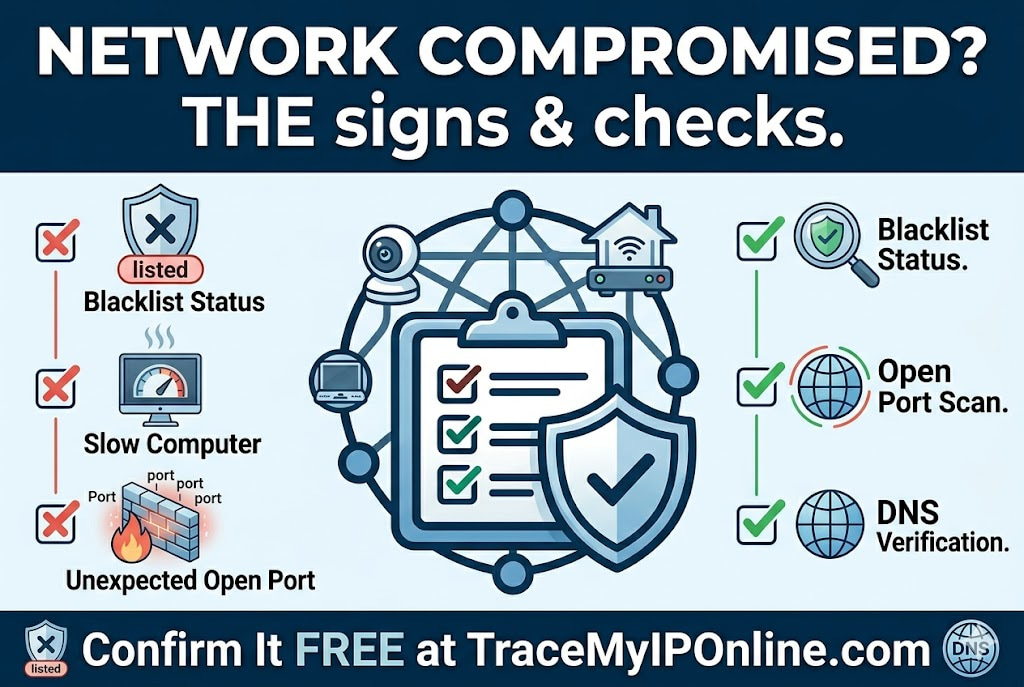
Most network compromises are not dramatic. There is no ransom message. Nothing obviously breaks. What happens instead is subtler — your internet behaves oddly, your IP starts appearing on blacklists, or your ISP sends a warning about unusual traffic. These are the signs that something on your network is running that should not be, and the free tools to investigate are the same ones used for routine security checks.
The Signs Your Network Has Been Compromised — And the Free Checks That Confirm It
Most network compromises are not dramatic. There is no ransom message. Nothing obviously breaks. What happens instead is subtler: your internet behaves oddly, your devices seem slow for no clear reason, your IP starts appearing on blacklists you have never heard of, or your ISP sends a warning about unusual traffic from your account.
These are the signs that something on your network is running that should not be — and the free tools to investigate are the same ones you would use for routine security checks.
Start with your IP's reputation at tracemyiponline.com/blacklist-checker — if your IP has been flagged, that is your first confirmed signal.
"Home network compromise is almost never discovered by the victim directly. It comes out in ISP abuse reports, blacklist notices, or — worst case — when law enforcement contacts the ISP about traffic originating from the household IP. In between detection and discovery, compromised home routers and devices can run as spam relays, participate in DDoS botnets, or mine cryptocurrency for months. The good news is that the indicators are detectable with free tools if you know where to look."
— Marcus Holloway, Incident Response Lead, ClearNet Security Operations
Signs Your Network May Be Compromised
Your IP appears on spam blacklists: If your residential IP is listed on Spamhaus, Barracuda, or SORBS, something is generating problematic traffic from your network — almost certainly without your knowledge. Residential IPs rarely get blacklisted from legitimate use. Check at tracemyiponline.com/blacklist-checker.
Your ISP sent an abuse warning: ISPs monitor outbound traffic for patterns associated with malware, spam relays, and botnet participation. An abuse notice from your ISP means they have seen something from your IP that triggered their detection systems. Take it seriously.
Unexplained high data usage: If your monthly data usage has increased significantly without a change in your habits, something on your network is transferring data. Cryptocurrency mining, botnet participation, and spam relaying all generate unexpected traffic volumes.
Devices running hot or slow without obvious cause: Malware running background processes — particularly cryptocurrency mining — uses CPU and memory continuously. A device that runs significantly hotter or slower than usual, especially when "idle," may be running unauthorized processes.
Unknown devices in router device list: Log into your router admin (usually 192.168.1.1) and check the connected devices list. Devices you do not recognize — particularly ones with generic or no names — warrant investigation.
Ports open that you did not open: Check at tracemyiponline.com/port-checker. Ports that show open when you have not configured port forwarding for them may indicate a compromised device or router running services you did not install.
DNS behaving unexpectedly: Malware sometimes modifies DNS settings to redirect traffic through attacker-controlled DNS servers. Check your current DNS at tracemyiponline.com/dns-lookup — if you see DNS servers you do not recognize or did not configure, your DNS has been compromised.
How to Investigate — The Free Checklist
Check 1: IP blacklist status. Visit tracemyiponline.com/blacklist-checker. A clean result does not rule out compromise — many compromised networks are not yet blacklisted — but a blacklisted IP is a strong positive indicator. Note which lists flagged your IP and the reason given.
Check 2: Open port scan. Visit tracemyiponline.com/port-checker and check your current public IP. Unexpected open ports — particularly management ports like 22, 23, 3389, or 5900 — warrant investigation. Compare against your router's port forwarding rules to see if the open ports are explained by intentional configuration.
Check 3: Router admin review. Log into your router admin interface. Check: connected devices list for unknowns; port forwarding rules for unexplained entries; DNS settings for unexpected servers; and admin credentials — if default credentials were never changed, your router may have been compromised through its admin interface.
Check 4: DNS server verification. Check at tracemyiponline.com/dns-lookup what DNS servers your connection is using. These should match what you or your router have configured. Unexpected DNS servers — particularly ones that do not resolve to known providers like Cloudflare (1.1.1.1), Google (8.8.8.8), or your ISP's known servers — indicate DNS hijacking.
Check 5: Device-level checks. Run security scans on devices connected to your network — Malwarebytes Free on Windows, Bitdefender Free, or equivalent. Check for browser extensions you do not recognize. Review startup programs for unfamiliar entries. Check running processes for anything consuming unusual resources.
Before vs After: Discovering and Resolving a Botnet Compromise
Discovery — user notices emails going to spam, ISP sends abuse warning: User's email newsletter has been bouncing with deliverability problems for six weeks. ISP sent an email warning about unusual outbound SMTP traffic from their account.
Investigation: Blacklist check at tracemyiponline.com/blacklist-checker — IP listed on Spamhaus XBL (Exploits Block List, for IPs sending spam from compromised devices). Port check at tracemyiponline.com/port-checker — port 25 (SMTP) showing open despite no intentional configuration. Router admin — old gaming PC still connected to network with UPnP-opened port 25. Device scan — Malwarebytes finds a spam relay trojan on the old gaming PC that had not been used in months but was still powered on.
Resolution: Gaming PC isolated from network, malware removed, PC wiped and rebuilt. Port 25 rule deleted from router. UPnP disabled. SMTP traffic blocked at router level. Blacklist removal requested after cleanup. IP delisted from Spamhaus XBL within 48 hours. Deliverability returned to normal. ✅
For California and New York Users: Compromised Networks and Legal Exposure
Under the Computer Fraud and Abuse Act, a network owner is generally not legally liable for attacks originating from their network if they were genuinely unaware of the compromise and took reasonable steps to address it upon discovery. Ignoring ISP abuse notices or failing to investigate known compromise indicators creates more legal ambiguity.
For California businesses: a compromised network that handles customer data creates potential CCPA breach notification obligations. If personal information was accessible to attackers who compromised your network — which is possible if they had router access — this may trigger breach reporting requirements. Address network security incidents with the same seriousness as software-level breaches.
New York's SHIELD Act similarly creates obligations for businesses experiencing breaches involving private information of New York residents. Network-level compromise that provides attacker access to systems containing personal information triggers these obligations.
For London and UK Users: ISP Abuse Reports and UK GDPR
UK internet providers take abuse reports seriously — particularly as their terms of service create grounds for account termination when customers' connections are used for botnet activity. Ignoring an ISP abuse report risks account suspension rather than just service degradation.
Under UK GDPR, a personal data breach — which includes unauthorized access to systems containing personal data — must be reported to the ICO within 72 hours if it is likely to result in risk to individuals. A compromised home network with access to devices containing personal information may create this obligation for data controllers. For London businesses with home offices: take network compromise seriously from a UK GDPR compliance standpoint, not just as a technical problem.
For Toronto and Ontario Users: PIPEDA and Incident Response
PIPEDA's breach reporting requirements cover breaches of security safeguards that create real risk of significant harm. A network compromise that exposed personal information to an attacker creates PIPEDA reporting obligations for organizations. The OPC requires notification to affected individuals and to the Privacy Commissioner for qualifying breaches.
Ontario businesses operating home offices or small office networks that experience compromise should evaluate whether personal information may have been accessed and whether PIPEDA reporting is required. The OPC has published guidance on breach assessment that applies to network-level compromise as much as application-level breaches.
For Sydney and Australian Users: Privacy Act and Notifiable Data Breaches
Australia's Notifiable Data Breaches (NDB) scheme requires organizations to notify the OAIC and affected individuals when an eligible data breach occurs — defined as unauthorized access to personal information that is likely to result in serious harm. A network compromise that allows attacker access to systems containing personal information of Australian residents triggers NDB assessment obligations.
For Sydney and Melbourne businesses operating with home or small office networks: the ACSC recommends immediate isolation of compromised devices, ISP notification, and incident documentation. For organizations covered by the NDB scheme, the OAIC notification deadline begins at the point the organization has reasonable grounds to believe a qualifying breach has occurred.
How to Clean Up After a Network Compromise
Step 1: Isolate the compromised device. Disconnect it from the network immediately. Do not continue using it to attempt investigation — malware can observe and interfere with cleanup attempts.
Step 2: Change router admin credentials. If your router's admin password was default or weak, change it now. Use a strong unique password. Disable remote management if not needed.
Step 3: Update router firmware. Many router compromises exploit known firmware vulnerabilities. Check the manufacturer's website for current firmware and update.
Step 4: Audit port forwarding and UPnP. Delete all port forwarding rules you cannot account for. Disable UPnP. Scan the result at tracemyiponline.com/port-checker to verify the changes.
Step 5: Change passwords for accounts used on affected devices. Any credentials that may have been visible to the malware — particularly those entered while the device was compromised — should be changed from a different, clean device.
Step 6: Request ISP IP change. Contact your ISP and request a new IP address. This helps with blacklist cleanup and separates your clean rebuild from the compromised IP's history.
Step 7: Monitor and verify. After completing the cleanup, re-check your IP reputation at tracemyiponline.com/blacklist-checker and port status at tracemyiponline.com/port-checker to confirm the compromise indicators are resolved.
Frequently Asked Questions
How do I know if my router has been hacked?
Signs include: DNS settings changed to unknown servers (check at tracemyiponline.com/dns-lookup), admin credentials no longer working, new port forwarding rules you did not create, firmware reverted to a different version, unusual traffic in router logs, and devices you do not recognize in the connected devices list. Routers running outdated firmware with known vulnerabilities are at highest risk.
Can my smart home devices be used in a botnet?
Yes — this is well-documented. IoT devices running outdated firmware with default credentials are common botnet targets. The Mirai botnet (2016) specifically targeted IoT devices. Compromised smart cameras, routers, and NAS devices are used for DDoS attacks and spam relaying. Check whether unusual ports have been opened on your network at tracemyiponline.com/port-checker.
My IP is blacklisted but I have not done anything wrong — what happened?
Almost certainly a compromised device on your network. Malware generating spam, participating in botnets, or conducting port scans will blacklist your IP even though you personally have never engaged in that activity. Run device-level malware scans, check open ports at tracemyiponline.com/port-checker, and look for unknown devices in your router's connected devices list.
Should I report a network compromise to the police?
For home networks: this is usually not practical or productive for standard botnet/spam relay compromises. For businesses, especially those with client data potentially exposed: yes, particularly if you have breach notification obligations. For compromises that appear targeted or involve ransomware: report to both the police and your country's cybersecurity agency (CISA in the US, NCSC in the UK, CCCS in Canada, ACSC in Australia).
Can I check if my network is being used in a DDoS attack against others?
Not directly from the victim's end. Indirectly: if your IP appears on blacklists associated with DDoS infrastructure, or if your ISP sends abuse notices about unusual outbound traffic volumes, your network may be participating in DDoS attacks. Check your IP reputation at tracemyiponline.com/blacklist-checker and your port exposure at tracemyiponline.com/port-checker.
Most Compromises Are Discovered Late — Change That
The typical home network compromise runs for weeks or months before detection. By the time the ISP sends an abuse warning or a blacklist notice arrives, the attacker has had extended access to your network infrastructure.
The checks described here take 10 minutes total. They catch the indicators that appear earliest — blacklist status, unusual open ports, unexpected DNS, unknown connected devices. Running them monthly is not paranoid; it is the equivalent of checking your smoke detector batteries.
Start with your IP reputation at tracemyiponline.com/blacklist-checker. Check your ports at tracemyiponline.com/port-checker. Verify your DNS at tracemyiponline.com/dns-lookup. See your full IP profile at tracemyiponline.com/ip-lookup. All free at TraceMyIPOnline.com.