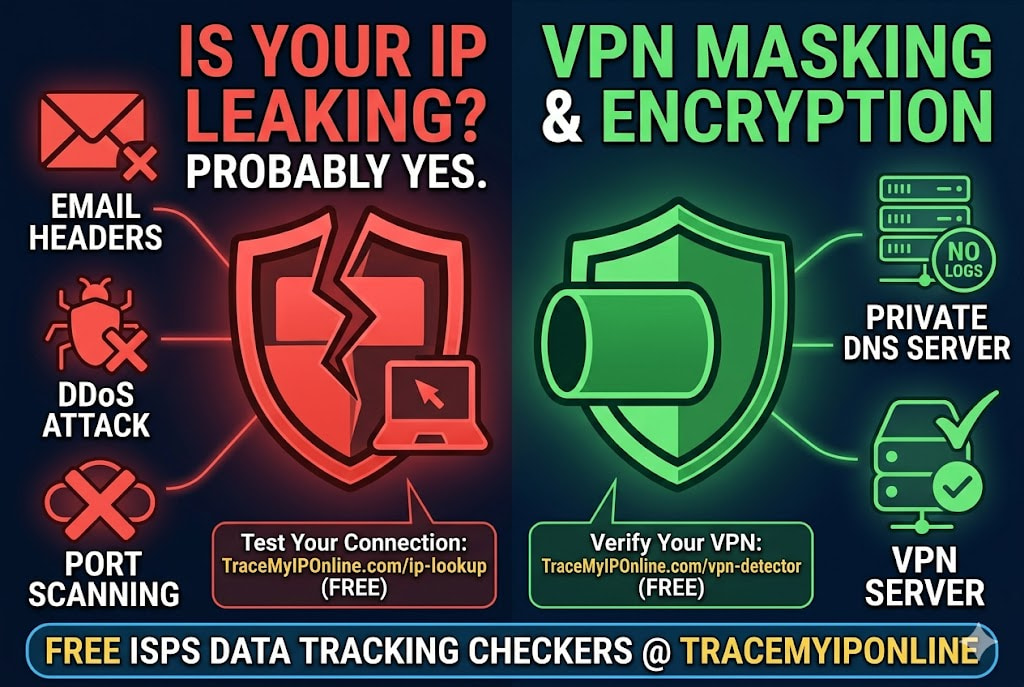
People want to trace IP addresses for legitimate reasons all the time — a threatening message, a suspicious business email, an unknown device on the network. The confusion is understandable. IP tracing sounds like surveillance, which sounds like it requires special authority. It does not. The data is public by design. Anyone can query it free in 30 seconds. Here is how.
Tracing an IP Address Is Legal, Free, and Takes About 30 Seconds
People want to trace IP addresses for legitimate reasons all the time. A threatening message arrived. A business email looks suspicious. An unknown device appeared on the network. A gaming opponent is disrupting matches and you want to document the source for a report.
The confusion is understandable — "tracing" sounds like surveillance, which sounds like it requires special tools or legal authority. It does not. IP address geolocation data is public by design. The organizations that manage internet addresses — ARIN, RIPE NCC, APNIC, LACNIC, AFRINIC — maintain publicly accessible registration databases. Anyone can query them. The data has always been there.
"IP trace data gives you the organizational context of a network connection — who operates the network, where it is registered, what type of infrastructure it is. That context is often more useful than the geographic coordinates, which can be off by significant distances. When I am investigating a suspicious connection, the ASN classification — is this a residential ISP, a cloud hosting provider, or a VPN exit node — tells me more about the nature of the connection than the city does."
— Dr. Leila Moradi, Network Forensics Researcher, University of Amsterdam
What IP Tracing Actually Reveals
Before going through the process, understanding the output is worth covering — because what an IP trace returns is often different from what people expect.
Country and region: Near-certain at country level. High accuracy at state or region level. These are the most reliable outputs.
City: Approximate, not precise. City-level geolocation is around 80% accurate in dense urban areas and less reliable in rural regions. The location reflects ISP infrastructure rather than GPS coordinates — your IP might geolocate to the nearest hub city rather than where you actually are.
ISP name: Always accurate. IP blocks are registered to ISPs in public databases, and this registration data is reliable.
Network type: Residential, business, mobile, or datacenter/VPN. This classification is particularly useful for distinguishing real users from automated traffic or VPN connections.
ASN: The Autonomous System Number identifying which network operates the IP. This tells you the organization responsible for the address block.
What it does not reveal: The specific person's name, home address, or any personal identifying information. That data exists only at the ISP, accessible only through legal process.
How to Trace Any IP Address — Step by Step
Step 1: Get the IP address you want to trace.
From an email: Open the full headers (Gmail: three-dot menu, "Show original"; Outlook: File, Properties). Find the bottom-most "Received: from" line. The IP appears in square brackets within that line — copy the number.
From a website or server log: Logs typically list client IP addresses next to each request entry. The format varies by server software, but the IP is usually the first field in each log line.
From a network monitoring tool: Tools like Wireshark or your router's connection logs show IP addresses of devices connecting to or from your network.
Your own IP: Visit tracemyiponline.com/ip-lookup without entering anything — your current public IP appears automatically.
Step 2: Enter the IP at the lookup tool.
Go to tracemyiponline.com/ip-lookup, paste the IP address into the search field, and run the lookup. Results appear within seconds.
Step 3: Interpret the results in context.
The results are most useful when read alongside context you already have. A suspicious business email claiming to come from a US company but tracing to an Eastern European residential ISP is a different situation than one tracing to a US residential Comcast connection. The trace result does not tell you everything — it gives you one verified data point to add to your assessment.
Before vs After: Three Legitimate IP Trace Scenarios
Scenario 1 — Business email fraud detection: An email arrived claiming to be from a London-based vendor requesting a change to their bank details. The sender email looks correct. The request is plausible.
Email header extraction reveals: X-Originating-IP: 197.232.18.45. IP trace result: Kenya. ISP: Safaricom Limited. Connection type: Mobile. The vendor has a registered office in London. Conclusion: this email did not originate from anyone in London. Fraud attempt confirmed. Wire transfer cancelled. ✅
Scenario 2 — Online harassment documentation: A user is receiving repeated threatening messages on a platform, originating from accounts created to harass them. One message contains a link that, when analyzed, reveals a server IP in the redirect chain.
IP trace: US residential connection, specific ISP, specific state. This does not identify the person — but it documents the network of origin for a police report. Law enforcement can subpoena the ISP with this information. The trace is the starting point, not the conclusion.
Scenario 3 — Unexpected login alert: A user receives an account security alert from a service they use, showing a login from an unfamiliar location. The alert includes the IP address of the login.
IP trace: Singapore, ISP appears to be a VPN or hosting provider (datacenter ASN). The user has never been to Singapore. Conclusion: account access from an unexpected source — likely credential compromise or unauthorized access. Password changed, sessions terminated. Alert was genuine.
For California and New York Users: Legal Context of IP Tracing
Looking up a public IP address is completely legal in the US. The data comes from publicly maintained registries. No law restricts access to IP geolocation or registration data in California or New York.
Using the information to harass, stalk, or threaten someone is illegal — California Penal Code 646.9 covers stalking, and New York Penal Law 120.45 covers stalking as well. The trace itself is legal; what you do with the result determines legality.
For California and New York users who have traced an IP as part of documenting harassment or fraud: law enforcement in both states has cybercrime units that handle these cases. The FBI's Internet Crime Complaint Center (IC3.gov) accepts reports with IP evidence from anywhere in the US. Combine your IP trace from tracemyiponline.com/ip-lookup with the full email headers and any other documentation before filing.
For London and UK Users: IP Tracing and Action Fraud
IP address lookup is legal in the UK. The data is publicly available from RIPE NCC (the regional internet registry for Europe). No legislation restricts accessing this public data.
UK residents who use IP tracing as part of documenting fraud or harassment should report to Action Fraud (actionfraud.police.uk) for fraud matters, and to local police or the NCSC (report.ncsc.gov.uk) for cybercrime. Include the IP trace results alongside full email headers when reporting — investigators use this data as a starting point.
For London, Manchester, and Birmingham users experiencing email-based fraud: the City of London Police's fraud unit specifically handles business email compromise cases, which often start with IP header analysis. Our IP Lookup provides the trace data; the full email header provides the chain of evidence.
For Toronto and Ontario Users: IP Tracing and CAFC Reports
IP address lookup is legal in Canada. Regional internet registry data from ARIN is publicly accessible to anyone. No Canadian legislation restricts this access.
Ontario residents using IP trace data for fraud reporting should file with the Canadian Anti-Fraud Centre (antifraudcentre-centreantifraude.ca). The CAFC accepts reports with technical evidence including IP addresses and trace results. Combine with WHOIS data from our WHOIS Lookup when the IP traces to a domain or registered organization.
For Sydney and Australian Users: IP Tracing and ReportCyber
IP address lookup is legal in Australia. APNIC (the regional registry for Asia-Pacific) maintains publicly accessible data. The Privacy Act covers what organizations can do with personal data — it does not restrict accessing publicly available network registration information.
Australian users documenting cyber incidents involving IP evidence should report to ReportCyber (cyber.gov.au/report) for serious incidents and Scamwatch (scamwatch.gov.au) for scam-related cases. Both platforms can work with IP evidence. Trace the IP at tracemyiponline.com/ip-lookup and document the results before filing.
When IP Tracing Hits a Wall — VPNs, Tor, and Proxy Servers
Not every IP trace leads somewhere useful. If the sender used a VPN, the trace shows the VPN server's location — not the actual sender's location. The trace is still useful: it documents that a VPN was used (indicating the sender was aware enough to mask their origin, which can be relevant evidence) and identifies which VPN provider, which might cooperate with law enforcement.
Tor exit nodes resolve to well-known IP ranges operated by the Tor Project. A trace showing a Tor exit node tells you the sender used Tor — useful for understanding the sophistication of the sender but not for geographic attribution.
Open proxies trace to wherever the proxy server is located. Commercial proxy services may have abuse reporting contacts; free proxies are less cooperative.
In all these cases: what you can determine from the trace itself is limited. What law enforcement can determine through legal requests to VPN providers, proxy operators, or ISPs is significantly more — which is why preserving the evidence (the full headers, the trace results, screenshots with timestamps) matters.
Checking Your Own IP Trace
The most common use of an IP trace tool is not investigating someone else — it is checking what your own IP reveals. Understanding your own exposure is genuinely useful: you can see whether your location is accurate, what your ISP name looks like to other sites, whether your connection is classified as residential or datacenter, and what reputation your IP has.
If you use a VPN, check what the trace shows when connected — it should show the VPN server's details rather than yours. If your real details appear, your VPN is leaking. Verify at tracemyiponline.com/vpn-detector.
Check your IP reputation at tracemyiponline.com/blacklist-checker — particularly useful if you have noticed email delivery problems or access issues with specific services.
Frequently Asked Questions
Is tracing an IP address legal?
Querying public IP registration data is legal in all Tier-1 countries. The data comes from publicly maintained internet registry databases. Using the information to stalk, harass, or threaten someone is illegal regardless of how you obtained the information.
Can IP tracing find someone's exact home address?
No. IP geolocation is approximate — typically city-level. The exact home address connected to an IP is held by the ISP and is only accessible through legal process (court order or law enforcement subpoena). No public tool provides home address from IP.
What do I do if an IP traces to another country but the sender claimed to be local?
Geographic inconsistency between claimed location and IP trace location is a strong red flag, particularly for financial requests. Document the discrepancy and report through appropriate channels — the NCSC, Action Fraud, IC3, CAFC, or ReportCyber depending on your country. Include the full email headers and trace results in the report.
The IP traces to the same country as the sender — does that mean it is legitimate?
Not necessarily. A matching country is consistent with legitimacy but does not confirm it. Someone in the same country could still be running a fraud operation. Use IP tracing as one signal among several, not as a definitive verification.
Can I trace an IP from a social media platform?
Social media platforms do not expose user IPs to other users — the platform's servers sit between users. The IP you would see is the platform's server IP, not the other user's. Platforms retain user IP logs and can share them with law enforcement through legal process, but this is not publicly accessible.
What is the difference between an IP trace and a WHOIS lookup?
IP trace (geolocation lookup) shows where an IP address is located and who operates the network. WHOIS lookup on a domain shows who registered that domain and when. If you have a domain rather than an IP, start with WHOIS and then do an IP trace on the server the domain resolves to.
How accurate is the location in an IP trace result?
Country level: 99%+. State or region: 90%+. City: approximately 80% in urban areas, less in rural. Precise address: not available through IP geolocation.
The Useful Part and the Limits
An IP trace gives you verified, public, objective data about a network address. It does not give you a name or a home address. It gives you context — the organization operating the network, the approximate location, the connection type.
That context is genuinely useful for fraud detection, harassment documentation, security incident response, and understanding your own network exposure. The limits are real too: VPNs and Tor change what the trace returns, and geolocation is approximate rather than exact.
Trace any IP free at tracemyiponline.com/ip-lookup. Check email domain authentication at tracemyiponline.com/dns-lookup. Verify domain age at tracemyiponline.com/whois-lookup. Check IP reputation at tracemyiponline.com/blacklist-checker. All free at TraceMyIPOnline.com.