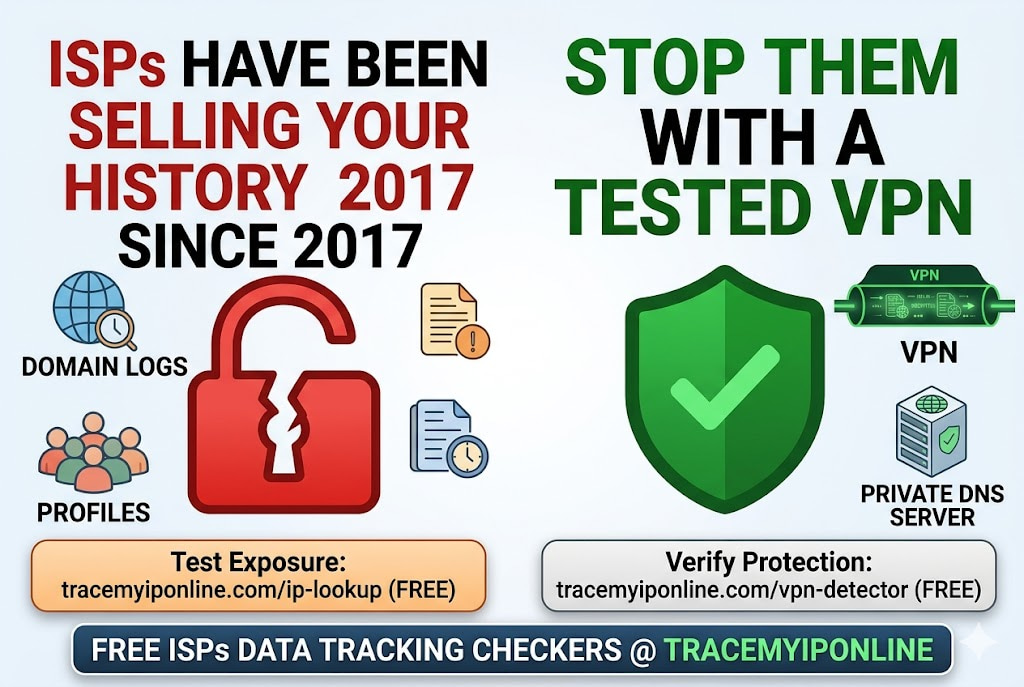
In March 2017, the US Senate voted 50-48 to repeal FCC broadband privacy rules that would have required ISPs to get customer consent before sharing browsing data. Since then, Comcast, AT&T, and Verizon have been legally permitted to sell anonymized browsing history to advertisers without asking. Most people using home internet today do not know this. Here is what it means and what actually helps.
Your ISP Has Been Legally Selling Your Browsing History Since 2017
In March 2017, the US Senate voted 50-48 to repeal FCC broadband privacy rules that would have required ISPs to get customer consent before sharing browsing data. The repeal was signed into law. Since then, Comcast, AT&T, Verizon, and others have been legally permitted to sell anonymized browsing history to advertisers without asking you first.
Most Americans are unaware this happened. Most people using home internet today do not know their ISP has legal access to a log of every domain they visit and can monetize it. This is not a hypothetical risk — it is the current legal status of broadband privacy in the United States.
"The 2017 repeal created a two-tier internet privacy system. At the application layer — the websites you use — GDPR, CCPA, and various privacy laws govern data collection with increasingly strict requirements. At the network layer — the ISP — almost anything goes in the US. Your ISP sits upstream of all those application-layer protections and can observe all traffic destinations regardless of whether the sites themselves are compliant. Understanding this distinction is the starting point for any serious privacy strategy."
— Professor Alex Greenberg, Internet Law and Policy, Columbia University
What Your ISP Can Actually See
The specific data varies based on whether you use encrypted connections, but the scope is wider than most people assume.
DNS queries — every domain you visit: Every time you navigate to a website, your device asks a DNS server to resolve the domain name. By default, this query goes to your ISP's DNS servers. Your ISP logs these queries. Even with HTTPS, even with end-to-end encryption, the DNS query tells your ISP which domain you are visiting. The content of the visit is hidden. The destination is not.
Unencrypted traffic content: HTTP traffic (not HTTPS) is visible in full — the content of pages, forms you fill out, everything. In 2026, most sites use HTTPS, but some do not. Any HTTP traffic is readable by your ISP.
Connection metadata: Even for HTTPS connections, your ISP can see the IP address and domain of every site you connect to, the timing of connections, the amount of data transferred, and how long the connection lasted. This metadata builds a detailed profile even without content visibility.
SNI (Server Name Indication): When your browser establishes an HTTPS connection, it sends the destination domain name in plaintext as part of the TLS handshake — before the encrypted session begins. This is called SNI and is visible to your ISP even for encrypted traffic. Encrypted Client Hello (ECH) is a newer protocol designed to encrypt SNI, but adoption is still limited.
What your ISP cannot see with HTTPS: the specific pages within a site, the content of communications, the exact searches you perform, the text of form submissions.
Which ISPs Have Faced Scrutiny for Data Practices
Comcast/Xfinity: Comcast's Xfinity Mobile service was found by a 2021 EFF investigation to share customer data with advertising partners through its app. Comcast's privacy policy allows using "aggregated" customer data for marketing — a classification that researchers have repeatedly shown can be de-anonymized.
AT&T: AT&T operated a program called "Internet Preferences" that charged customers extra to opt out of targeted advertising based on their browsing data. Customers who did not pay the premium were enrolled by default. This "pay for privacy" model attracted significant regulatory criticism before being discontinued in 2016, though AT&T's data practices continued under different frameworks.
Verizon: In 2016, Verizon paid a $1.35 million settlement to the FCC for inserting tracking "supercookies" into customer HTTP traffic without disclosure. Supercookies are tracking identifiers added to web requests at the carrier level — impossible for users to delete because they are injected between the user's device and the website.
UK ISPs: BT, Sky, and Virgin Media have all used deep packet inspection for advertising purposes at various points, though UK GDPR and ICO enforcement have imposed constraints not present in the US market.
Before vs After: What Changes With and Without ISP Visibility Protection
Standard home broadband user — what the ISP sees in one evening:
DNS logs show: google.com, youtube.com, reddit.com, healthcare provider domain, bank domain, streaming service, news sites, shopping sites. Connection metadata shows: 4 hours of browsing activity, data volumes, connection times. Result: ISP has a detailed behavioral profile — health interests inferred from healthcare site visit, financial status inferred from banking activity, entertainment preferences from streaming and browsing patterns.
Same user with properly configured VPN (no DNS leak):
ISP sees: encrypted connection to VPN server IP address, maintained for 4 hours, approximately X gigabytes transferred. Nothing else. No domain names. No site destinations. No behavioral inference possible. ✅
Verify your VPN is actually providing this protection at tracemyiponline.com/vpn-detector and check for DNS leaks at tracemyiponline.com/dns-lookup.
For California Users: CCPA and ISP Data
California's CCPA covers ISPs — IP addresses and browsing history are explicitly classified as personal information under the statute. California residents have the right to know what browsing data their ISP collects, opt out of the sale of that data, and request deletion.
In practice, exercising these rights requires navigating each ISP's opt-out process individually — and the opt-out applies prospectively, not retroactively. Data already collected cannot be recalled. The more effective approach is preventing collection: use a properly tested VPN to prevent DNS-level visibility, and use encrypted DNS (DoH) to prevent query logging.
Check what your connection reveals at tracemyiponline.com/ip-lookup and verify your VPN protection at tracemyiponline.com/vpn-detector.
For New York Users: No Federal Protection, Limited State Protection
New York does not have a CCPA equivalent covering ISP data specifically. The proposed New York Privacy Act has been introduced multiple times but has not passed into law as of April 2026. New York residents have fewer statutory tools for ISP data than California residents.
The practical options for New York users wanting to limit ISP data collection are technical rather than legal: VPN use (properly tested and confirmed leak-free), encrypted DNS (DNS over HTTPS or DNS over TLS), and HTTPS-first browsing. Our tools at TraceMyIPOnline.com can verify the effectiveness of each approach — the VPN Detector and DNS Lookup are free starting points.
For London and UK Users: ISPs and UK GDPR
UK ISPs operate under a stricter regulatory framework than US counterparts. UK GDPR requires a lawful basis for processing personal data — including DNS logs and connection metadata. The ICO has enforcement powers and a track record of taking action against data misuse. BT, Sky, Virgin Media, and TalkTalk are all subject to these requirements.
However, the UK Investigatory Powers Act 2016 requires ISPs to retain connection data for 12 months regardless of customer preference. This is a government access mandate, not a commercial data sale — but the data is collected and retained. For UK users who want to limit even this government-mandated retention, a properly working VPN routes traffic through an endpoint outside the UK, which means the UK ISP connection record shows a VPN connection rather than individual site visits.
For Toronto and Ontario Users: Rogers, Bell, and PIPEDA
Canadian ISPs operate under PIPEDA, which requires meaningful consent and limits collection to what is necessary. The OPC has issued guidance suggesting that behavioural advertising based on browsing data requires express consent — but enforcement against major ISPs has been limited compared to what PIPEDA might theoretically support.
The practical data collection picture: Rogers and Bell retain connection metadata for network management purposes. Both companies have privacy policies that permit using de-identified data for analytics. For Ontario users who want to limit what their ISP logs, the technical approach — a tested VPN — is currently more reliable than relying on ISP compliance with PIPEDA opt-out requests.
For Sydney and Australian Users: Telstra, Optus, and Mandatory Retention
The Telecommunications (Interception and Access) Act requires Australian ISPs to retain metadata for two years. This is a legal mandate that applies regardless of privacy preferences or opt-out requests. Telstra, Optus, TPG, and every other Australian ISP must collect and retain: IP addresses used, connection times, data volumes, and connection destinations (domain names where DNS records are logged).
For Australian consumers in Sydney, Melbourne, and Brisbane: no ISP-level opt-out is available for this legally mandated retention. The technical mitigation is VPN use — which means the retained record shows a VPN connection rather than individual site destinations. The effectiveness depends on the VPN having no DNS leaks. Check at tracemyiponline.com/dns-lookup and tracemyiponline.com/vpn-detector.
What You Can Actually Do About It
Use a trustworthy, tested VPN with no DNS leaks: The most effective technical measure. A properly configured VPN means your ISP sees only encrypted traffic to a VPN server — no DNS queries, no site destinations, no behavioral data. Critically: verify it works. The VPN app showing "connected" is not enough. Test at tracemyiponline.com/vpn-detector and tracemyiponline.com/dns-lookup.
Switch to DNS over HTTPS (DoH) in your browser: Even without a VPN, using DoH prevents your ISP from logging DNS queries from your browser. Chrome, Firefox, and Edge all support this natively. Go to browser security settings and enable DNS over HTTPS with a provider of your choice (Cloudflare, NextDNS, Google). This prevents DNS query logging but does not hide connection metadata.
Submit opt-out requests to your ISP: Most ISPs have privacy settings pages with options to opt out of using your data for advertising purposes. These do not prevent collection but may limit commercial use. For California residents under CCPA, these requests have legal teeth. For others, they are honored at the ISP's discretion.
Use HTTPS everywhere: While your ISP can still see which sites you visit through connection metadata, HTTPS prevents them from reading the content. Browsers now default to HTTPS and warn about HTTP — accept these warnings as meaningful.
Frequently Asked Questions
Can my ISP see what I search for on Google?
Not the search terms themselves, if you use Google over HTTPS (which you do by default). Your ISP can see that you connected to google.com — not what you searched. The search queries are encrypted within the HTTPS session. However, if Google's own DNS is not your DNS provider, your ISP's DNS log shows that you visited google.com.
Does incognito mode hide my browsing from my ISP?
No. Incognito mode only prevents local storage of browsing history on your device. It has no effect on what your ISP logs. Your ISP sees incognito and non-incognito traffic identically.
If my ISP sells "anonymized" data, can it really be traced back to me?
Research consistently finds that browsing history datasets are re-identifiable even when names and obvious identifiers are removed. A 2017 Stanford study found that browsing histories could be de-anonymized using social media connections. A 2025 MIT study confirmed the pattern holds with more recent datasets. "Anonymized" browsing data is a weaker protection than the term suggests.
What is the difference between ISP data collection and website data collection?
Website data collection (cookies, tracking pixels, fingerprinting) happens at the application layer — you can block it with browser extensions, cookie management, and privacy browsers. ISP data collection happens at the network layer — below the application layer, meaning browser privacy tools have no effect on it. VPNs address network-layer data collection; browser extensions do not.
Does a VPN hide my browsing from my ISP completely?
A properly working VPN with no DNS leaks hides DNS queries, connection destinations, and traffic content from your ISP. Your ISP sees only that you are connected to a VPN server and approximately how much data you transferred. They do not see which sites you visit. The critical caveat is "properly working" — verify at tracemyiponline.com/vpn-detector.
Is there a free tool to check what my ISP can currently see?
Our tools at TraceMyIPOnline.com show your current IP and ISP information (IP Lookup), whether a VPN is protecting you (VPN Detector), and whether DNS is routing through your ISP or a private provider (DNS Lookup). All free, no account.
The Regulatory Gap Is Not Closing Quickly
Federal broadband privacy legislation has been proposed and not passed in every Congress since 2017. State-level patchwork protections exist in California but not most other states. The UK and EU have stronger frameworks, though enforcement against ISPs specifically has been limited.
The technical solutions — VPN, encrypted DNS — are available now and are more reliable than waiting for legislative outcomes. They have costs: a reputable VPN costs $3-8/month, and some browsing speed trade-off is normal. Whether those costs are worth it depends on individual risk tolerance and what is being protected.
Understanding your current exposure is the starting point. Check your IP profile at tracemyiponline.com/ip-lookup. Test your protection at tracemyiponline.com/vpn-detector. Verify your DNS at tracemyiponline.com/dns-lookup. All free at TraceMyIPOnline.com.