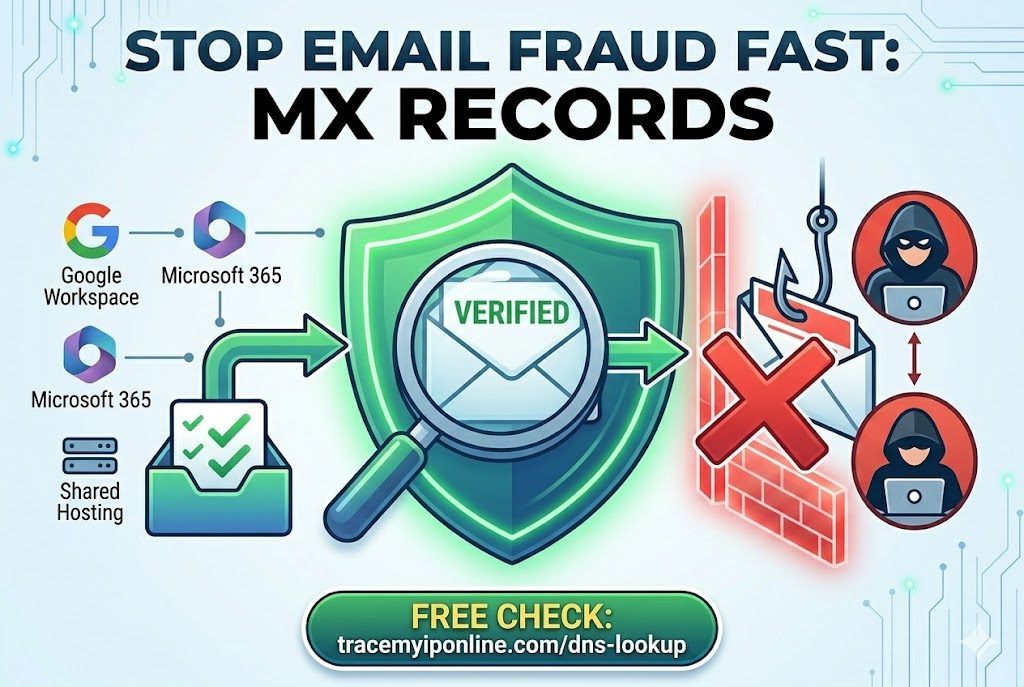
An MX record is public DNS data that tells you which servers handle incoming email for any domain. It takes 10 seconds to check. Security professionals do it constantly when evaluating suspicious emails. Most users have never done it once. The gap between those two groups is a 10-second tool query and knowing what the results mean. Here is both.
MX Records Are the Fastest Way to Verify Whether an Email Is Legitimate
An MX record (Mail Exchanger record) is a piece of DNS data that tells the internet which servers handle incoming email for a domain. They are public. They take seconds to check. And they are one of the most reliable quick tests for whether a business email, a sender domain, or an email authentication setup is what it claims to be.
Most people have never looked one up. Security professionals check them constantly. The gap between those two groups is a 10-second tool query and knowing what the results mean.
"MX record verification is one of the first things I teach people who deal with business email regularly. If someone claims to be from PayPal but their domain's MX records show a random shared hosting provider, the email is not from PayPal. If a small business claims to have enterprise email infrastructure but their MX records show they are on Hotmail, something does not add up. The records are public data — there is no reason not to check them."
— Dr. Yuki Tanaka, Email Security Researcher, Osaka University Graduate School of Engineering
What MX Records Are and How They Work
When someone sends an email to you@yourdomain.com, the sending mail server does not know automatically where to deliver it. It needs to find out which server accepts incoming mail for yourdomain.com. It does this by querying the DNS (Domain Name System) for the MX records of yourdomain.com.
An MX record says: "For this domain, incoming email should be delivered to this mail server, with this priority." Domains can have multiple MX records with different priorities — the sending server tries the highest-priority one first, then falls back to lower-priority options if the first is unavailable.
The mail server named in the MX record is the actual server that receives your email. Looking up MX records tells you which email infrastructure a domain uses — Gmail, Outlook, a custom provider, shared hosting, or something else entirely.
What You Can Learn From an MX Record Lookup
Which email provider the domain uses: Google Workspace uses mx.google.com servers. Microsoft 365 uses mail.protection.outlook.com. If a "corporate" email address has MX records pointing to a free consumer mail service, that is worth noting.
Whether the email infrastructure matches the company's claims: A company claiming enterprise-level operations with MX records pointing to shared hosting may not be what it appears. A business claiming to be a US company with MX records pointing to servers in Eastern Europe warrants scrutiny.
Whether email authentication is set up: Alongside MX records, DNS TXT records contain SPF, DKIM, and DMARC authentication information. A domain that claims to be a legitimate business but has no SPF or DMARC records is either misconfigured or potentially fraudulent. Check all of these at tracemyiponline.com/dns-lookup.
Whether a suspicious sender domain matches what it claims: If an email claims to be from bank-security@bigbank.com but the MX records for bigbank.com show different mail infrastructure than you would expect, something is wrong. Real banks have consistent, documented email infrastructure.
How to Check MX Records
Visit tracemyiponline.com/dns-lookup. Enter the domain name — just the domain, no @ symbol, no email address format. Select MX from the record type options. Results appear immediately, showing the mail servers for that domain and their priority values.
What to look for in the results:
The mail server hostname: This tells you the email provider. aspmx.l.google.com or similar = Google Workspace. mail.protection.outlook.com = Microsoft 365. Your own domain's mail server = self-hosted. A random hosting provider = consumer or budget hosting.
Priority numbers: Lower numbers are higher priority. An MX record with priority 10 is tried before one with priority 20. Multiple records provide redundancy.
Missing MX records: If a domain has no MX records, it cannot receive email. This is useful to know — and a significant red flag if someone is sending email claiming to be from that domain.
Before vs After: MX Records Catch Email Fraud
Scenario — supplier impersonation fraud: Finance team receives an email from accounts@globalparts-supplies.com requesting a change of bank details before a large payment. The email looks correct, the name matches a known supplier contact.
MX record check on globalparts-supplies.com: MX records show mail.protection.outlook.com — the domain uses Microsoft 365 for email. The email arrived in headers showing it originated from a Google Workspace server. Inconsistency: the domain's MX records say Microsoft 365, but the email was sent from Google.
Conclusion: the sending domain is not the same as the displayed From address. The email was sent from a different domain configured to look identical to the supplier. This is a spoofed or lookalike domain. Bank detail change request cancelled. ✅
A 30-second MX record check prevented a fraudulent transfer. Check any domain at tracemyiponline.com/dns-lookup.
MX Records and Email Authentication — SPF, DKIM, DMARC
MX records show where incoming email is received. Email authentication records — stored as TXT records in DNS — govern whether outgoing email from a domain can be trusted.
SPF (Sender Policy Framework): A TXT record that lists which IP addresses and mail servers are authorized to send email from this domain. If an email arrives claiming to be from yourcompany.com but comes from a server not listed in yourcompany.com's SPF record, receiving servers can reject or flag it.
DKIM (DomainKeys Identified Mail): Adds a cryptographic signature to outgoing email. The receiving server verifies the signature against the public key published in DNS. Verifies the email was authorized by the domain owner and was not modified in transit.
DMARC (Domain-based Message Authentication, Reporting, and Conformance): Tells receiving servers what to do when SPF or DKIM fails, and generates reports about authentication failures. Since 2024, Gmail and Yahoo require DMARC for bulk senders.
Check all of these for any domain at tracemyiponline.com/dns-lookup — select TXT from the record type options to see SPF and DMARC records.
For California and New York Businesses: Email Security and Regulatory Context
California's CCPA creates obligations for businesses that receive data through email communications. A breach enabled by email impersonation — where an attacker with a convincing lookalike domain tricks employees into transferring funds or sharing credentials — can trigger CCPA breach notification obligations if personal data was compromised.
FBI statistics consistently show that Business Email Compromise (BEC) is the most costly cybercrime category by total losses. California and New York businesses account for a disproportionate share of BEC losses due to their concentration of high-value financial transactions. MX record verification before acting on financial email requests is a practical defense.
New York's NYDFS Part 500 cybersecurity regulation requires covered financial institutions to implement email security controls. Verifying MX records as part of wire transfer approval processes is consistent with NYDFS guidance. Check any suspicious sender domain at tracemyiponline.com/dns-lookup.
For London and UK Businesses: BEC and NCSC Guidance
The National Cyber Security Centre's guidance on Business Email Compromise specifically identifies CEO fraud and supplier impersonation as high-risk scenarios for UK businesses. The NCSC recommends verifying unusual payment requests through a separate communication channel — and MX record checking is a technical first step that can flag suspicious sender domains before out-of-band verification is even needed.
UK Finance's fraud statistics for 2025 show that authorized push payment fraud — often initiated through email impersonation — cost UK businesses and individuals £1.17 billion. London businesses in financial services, legal, and professional services are primary targets. Check any suspicious email's sender domain MX records at tracemyiponline.com/dns-lookup.
For Toronto and Ontario Businesses: BEC and CAFC
The Canadian Anti-Fraud Centre reports that Business Email Compromise is one of the costliest fraud types targeting Canadian businesses, with losses in the tens of millions annually. Ontario businesses — particularly those in Greater Toronto's financial and professional services sectors — are frequent targets.
The CAFC's guidance on BEC recommends verification procedures for unusual financial requests and email address scrutiny. MX record checking provides technical verification that complements the CAFC's procedural guidance. A supplier email that does not match the expected MX infrastructure for that domain is a concrete technical signal that warrants follow-up. Check at tracemyiponline.com/dns-lookup.
For Sydney and Australian Businesses: BEC and ASD
The Australian Signals Directorate's 2025 Annual Cyber Threat Report identified Business Email Compromise as a persistent and costly threat to Australian organisations. Sydney and Melbourne-based businesses in legal, accounting, and real estate are particularly targeted due to high-value transaction volumes.
The ASD's guidance on BEC includes verifying email sender authenticity through technical means. MX record verification provides a quick technical check that complements the procedural controls (call-back verification, dual authorization) recommended in ASD guidance. Check any suspicious sender domain at tracemyiponline.com/dns-lookup.
Common MX Record Patterns and What They Mean
Google Workspace MX records look like: aspmx.l.google.com, alt1.aspmx.l.google.com, alt2.aspmx.l.google.com, alt3.aspmx.l.google.com, alt4.aspmx.l.google.com. If the company uses Google Workspace, legitimate emails from this domain should come from Google's infrastructure.
Microsoft 365 MX records look like: yourdomain-com.mail.protection.outlook.com. The format varies but always includes mail.protection.outlook.com.
Zoho Mail: mx.zoho.com or mx.zoho.eu. A legitimate smaller business email provider.
ProtonMail: mail.protonmail.ch. A privacy-focused email provider — not suspicious, but notable in a business context.
Shared hosting MX records: Often mail.yourdomain.com pointing to the hosting provider's mail servers. Legitimate for small businesses but indicates consumer-level email infrastructure, not enterprise.
No MX records: The domain cannot receive email. If someone is sending email claiming to be from this domain, they are using a spoofed From address. Significant red flag for any claimed business communication.
Frequently Asked Questions
Is the DNS Lookup tool free?
Yes — 100% free, no signup, unlimited checks. Visit tracemyiponline.com/dns-lookup and check any domain's MX, TXT, A, AAAA, NS, or CNAME records instantly.
What does it mean if an MX record lookup returns nothing?
No MX records means the domain is not configured to receive email. Anyone claiming to send email from that domain is using a spoofed From address — the responses to that email would never arrive anywhere. This is a definitive red flag for any claimed business communication.
Can I check MX records for any domain, including competitors?
Yes — MX records are public DNS data, accessible to anyone. Checking a competitor's email infrastructure is legal and is standard practice in security research and business intelligence.
My business email keeps landing in spam — can MX records help diagnose this?
Partially. MX records tell you where incoming email goes but not why outgoing email fails. Check your domain's TXT records (SPF, DKIM, DMARC) at tracemyiponline.com/dns-lookup — missing or misconfigured authentication records are the most common cause of legitimate email landing in spam. Also check your sending IP's reputation at tracemyiponline.com/blacklist-checker.
What is the difference between an MX record and an A record?
An A record maps a domain to an IPv4 address — used for websites and general internet services. An MX record specifically maps a domain to its mail servers — used only for email routing. A domain typically has both: an A record for its website and MX records for email. Check both at tracemyiponline.com/dns-lookup.
Can two domains share the same MX record?
Yes — this is common. Many businesses use Google Workspace or Microsoft 365, which use the same mail server infrastructure for all their customers. The MX record infrastructure being shared does not indicate a problem — what matters is whether the infrastructure matches what would be expected for the specific domain.
A 30-Second Check That Catches Multi-Million Dollar Fraud
Business Email Compromise causes more financial damage globally than ransomware, data breaches, and most other cybercrime categories combined. The attacks succeed primarily because victims act on email requests without verifying them technically — and because the fakes are good enough to fool visual inspection.
MX records are not a complete defense. A sophisticated attacker can set up convincing email infrastructure. But they catch the most common attack patterns — lookalike domains, spoofed senders, mismatched infrastructure — in seconds, for free.
Check any domain's MX records at tracemyiponline.com/dns-lookup. Verify domain age with WHOIS Lookup. Check the sending IP reputation at Blacklist Checker. All free at TraceMyIPOnline.com.