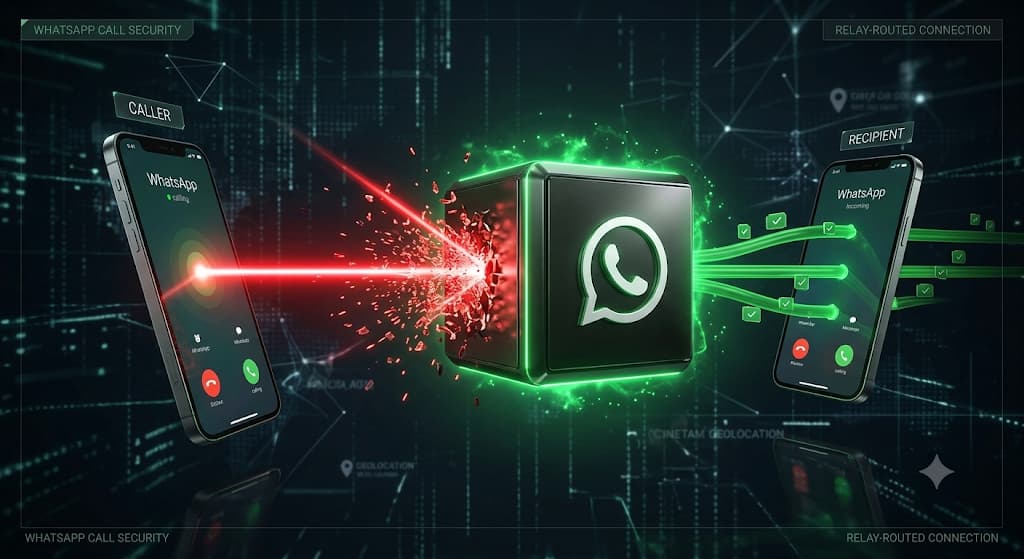
Can a hacker find your real-world location just from a WhatsApp call? We break down exactly how WhatsApp handles your network data, the hidden dangers of Peer-to-Peer connections, and how to use the latest advanced privacy settings to bulletproof your profile in 2026.
WhatsApp IP Tracker & Call Privacy: How to Protect Your Location (2026 Guide)
Author: TraceMyIPOnline Network Security Team Last Updated: August 2026 Reviewer: Mobile Security Analyst & OSINT Investigator Educational Disclaimer: This guide is strictly for educational, cybersecurity, and self-protection purposes. We do not endorse illegal tracking, stalking, or privacy violations.
WhatsApp is the most popular messaging app on the planet, known for its robust End-to-End Encryption (E2EE). However, encryption only protects the content of your messages—it does not necessarily hide your network identity. In 2026, the fear of having your IP address tracked and your location exposed is a massive concern for users worldwide.
Author: TraceMyIPOnline Network Security Team Last Updated: August 2026 Reviewer: Mobile Security Analyst & OSINT Investigator Educational Disclaimer: This guide is strictly for educational, cybersecurity, and self-protection purposes. We do not endorse illegal tracking, stalking, or privacy violations.
WhatsApp is the most popular messaging app on the planet, known for its robust End-to-End Encryption (E2EE). However, encryption only protects the content of your messages—it does not necessarily hide your network identity. In 2026, the fear of having your IP address tracked and your location exposed is a massive concern for users worldwide.
Can someone truly use a WhatsApp IP tracker to find your physical location?
This comprehensive guide will separate fact from fiction. We will explore the architecture of WhatsApp chats, the critical vulnerabilities historically hidden in its voice and video calling features, and exactly how you can lock down your profile to ensure your IP address remains completely untraceable.
1. Does WhatsApp Leak Your IP Address in Chats?
The short answer is: No, not in standard text chats.
Just like modern cloud-based apps, WhatsApp operates on a Client-Server architecture for texting. When you send a message, photo, or voice note to a contact, your device sends that data to WhatsApp’s central servers. The server then routes the message to the recipient.
Because of this "middleman" setup, the person you are chatting with only sees the IP address of WhatsApp's server, not your home Wi-Fi or mobile network provider.
2. The Real Threat: Peer-to-Peer (P2P) Voice and Video Calls
While text chats are routed safely through servers, Voice and Video Calls are a completely different story.
Historically, to ensure high-quality, lag-free audio and video, WhatsApp relied on a Peer-to-Peer (P2P) connection for direct 1-on-1 calls. In a P2P connection, your smartphone connects directly to the caller's smartphone, bypassing the central server.
- The Technical Vulnerability: Because the devices are directly linked, a malicious user on the other end can use basic network monitoring tools (packet sniffers) to intercept the data packets traversing the network. These packets explicitly contain your true IP address.
- The Consequence: Once they have your IP, they can use tools to geolocate your city, state, and ISP, completely bypassing WhatsApp's text-based security. (Note: Group calls are automatically routed through WhatsApp servers and do not carry this P2P risk).
3. Step-by-Step Defense: How to Hide Your IP on WhatsApp
Recognizing this severe privacy flaw, Meta recently rolled out advanced network security features. To ensure you are fully protected from IP tracking, you must configure these settings immediately.
Step 1: Enable "Protect IP Address in Calls" (Crucial) You can now force WhatsApp to stop using P2P connections and route all your 1-on-1 calls through their central servers.
- Open WhatsApp and go to Settings.
- Tap on Privacy.
- Scroll down to the bottom and select Advanced.
- Toggle on "Protect IP address in calls".
Trade-off Warning: By routing calls through a server (You -> ISP -> WhatsApp Server -> ISP -> Recipient), it increases the distance the data must travel. You may notice a slight reduction in call quality or increased latency, but it guarantees your IP is never shared directly.
Step 2: Disable Link Previews Hackers often use social engineering by sending you a link to an IP logger disguised as a news article. If WhatsApp automatically generates a "Preview" image of that website, your phone has to silently visit the site to fetch the image, instantly handing your IP address to the third-party server.
- Go to Settings > Privacy > Advanced.
- Toggle on "Disable Link Previews". This stops third-party websites from quietly logging your IP.
Step 3: Use a Premium VPN (The Ultimate Safety Net) Even with WhatsApp's new settings, accidental clicks happen. A premium Virtual Private Network (VPN) remains the best defense. If your traffic is routed through a VPN, an attacker (or a malicious link) will only trace the IP address of the VPN's enterprise server, leaving your true physical location completely hidden.
4. Beware of "WhatsApp IP Tracker" Websites
If you search Google, you will find dozens of websites claiming to offer a "WhatsApp IP Tracker tool" where you just input a phone number. The Truth: 100% of these are scams. WhatsApp's API does not allow public access to user IP logs. These websites are designed to steal your data, infect your device with malware, or trick you into completing endless surveys for ad revenue. Do not trust them.
Conclusion
WhatsApp remains a highly secure messaging app, but standard P2P voice calls have always been its networking weak point. By understanding how call routing works and enabling the new "Protect IP address in calls" feature, you take complete control of your network footprint. Combine this with link-preview disabling and a router-level VPN, and your digital privacy in 2026 will remain bulletproof.