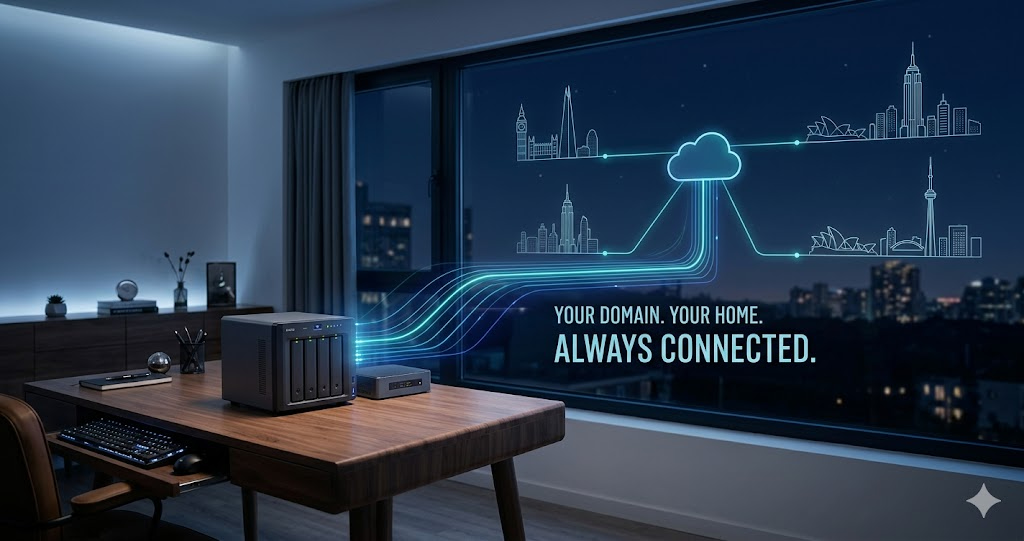
Running a home server normally requires a static IP address from your ISP. Static IPs cost extra. Dynamic DNS is a workaround that eliminates this requirement: it automatically updates a domain name to point to your current IP address as it changes. The result is a consistent hostname you can use to reach your home network from anywhere.
Dynamic DNS Lets You Run a Home Server Without Paying for a Static IP
Running a home server — for remote access, a personal website, a game server, or a security camera system — normally requires a static IP address from your ISP. Static IPs cost extra. Dynamic DNS (DDNS) is a workaround that eliminates this requirement: it automatically updates a domain name to point to your current IP address as it changes.
The result is a consistent hostname you can use to reach your home network from anywhere, regardless of whether your ISP has assigned you a new IP address since the last time you connected.
"Dynamic DNS is one of the most practical solutions for home lab operators who need reliable remote access without the recurring cost of a static IP. The update latency has improved dramatically with modern DDNS providers — sub-minute updates are now common. The main consideration is choosing a provider with reliable infrastructure, since the DDNS service itself becomes a single point of failure for your remote access."
— Dr. Tomáš Novák, Home Networking and Self-Hosting Research, Czech Technical University in Prague
The Problem Dynamic DNS Solves
Home internet connections almost universally use dynamic IP addresses. Your ISP assigns you an IP from a shared pool, and that assignment can change — when your router restarts, when your DHCP lease expires, or when the ISP makes changes to their network. Before DDNS existed, a home server operator had to manually update their DNS records every time their IP changed, or pay the ISP for a static IP.
Dynamic DNS automates the update process. A small software client runs on your router or home server, monitors your public IP address, and when it detects a change, immediately sends an authenticated update to the DDNS provider's servers. The update propagates within seconds to minutes. Remote connections using your DDNS hostname reconnect automatically.
How to Set Up Dynamic DNS — Step by Step
Step 1: Choose a DDNS provider. Free options include DuckDNS (open source, donation-funded), No-IP (limited free tier), and Dynu (generous free tier). If you manage your domain through Cloudflare, their API enables DDNS functionality with your own domain name.
Step 2: Register a hostname. Create an account and register a hostname — something like yourhome.ddns.net or yourhome.duckdns.org. This hostname will always point to your home network's current public IP.
Step 3: Install a DDNS client. Many home routers have built-in DDNS client support — check your router's Dynamic DNS settings. If not, install a DDNS client on any always-on device. DDclient is widely used for Linux. Many NAS devices have DDNS clients built in.
Step 4: Configure port forwarding. For your home server to be accessible externally, your router needs port forwarding rules directing traffic on relevant ports to your server. Check what ports are currently accessible at tracemyiponline.com/port-checker. Only open ports you specifically need.
Step 5: Test the setup. From an external connection (mobile data), connect to your DDNS hostname. Verify it resolves to your current home IP at tracemyiponline.com/ip-lookup.
Before vs After: Home Server With and Without DDNS
Home server operator without DDNS: Runs a Plex media server at home. IP changes after router restart during a power outage. Remote Plex access stops working. User must: notice the problem, check the new IP at tracemyiponline.com/ip-lookup, update all configured remote access settings. Time to restore: 15-30 minutes per incident, 3-5 times per year. Cumulative disruption: several hours annually.
Same operator with DDNS configured: IP changes after router restart. DDNS client detects the new IP within 60 seconds. DNS record updates. Remote Plex connection — configured to use the DDNS hostname rather than a raw IP — reconnects automatically. Time to restore: under 2 minutes, automated. Zero manual intervention. ✅
For California and New York Users: DDNS on Comcast and AT&T
California and New York have high concentrations of home lab enthusiasts and remote workers running self-hosted infrastructure. ISP-provided static IPs in California and New York can cost $10-25/month in addition to regular service fees. DDNS eliminates this expense entirely for most home server use cases.
Comcast residential dynamic IPs in California tend to be relatively stable — some customers hold the same IP for months. AT&T fiber IPs in New York can also be stable. But stability is not guaranteed. DDNS is the reliable solution regardless of how stable your current IP appears. Check your current IP at tracemyiponline.com/ip-lookup.
For London and UK Users: DDNS on BT and Sky Broadband
BT residential IPs in the UK tend to change every 24-72 hours — more frequently than many US ISPs. Sky's residential IPs can change with every router restart. For London and UK home server operators, DDNS is nearly essential rather than merely convenient.
UK users should additionally check whether their connection is behind CG-NAT before investing time in DDNS setup. If your router shows a 100.64.x.x WAN IP, you are behind CG-NAT and inbound connections are blocked entirely — contact your ISP or use a VPN tunnel for remote access instead. Check your current IP at tracemyiponline.com/ip-lookup.
For Toronto and Ontario Users: DDNS on Rogers and Bell
Rogers and Bell residential broadband both use dynamic IP assignment. Rogers residential IPs in Ontario tend to be moderately stable — changing less frequently than BT but more than some US ISPs. Bell's FTTN and FTTP connections also use dynamic IPs by default.
Ontario users should verify their current public IP at tracemyiponline.com/ip-lookup and check whether Rogers or Bell has placed them behind CG-NAT before configuring DDNS. If the IP shown at our tool matches the WAN IP shown in your router admin, you have a public routable IP.
For Sydney and Australian Users: DDNS on NBN Connections
NBN connections in Australia use dynamic IP assignment across all retail service providers — Telstra, Optus, Aussie Broadband, and others. NBN IP assignments can change during infrastructure maintenance windows and after router restarts. For Sydney and Melbourne home server operators, DDNS is the standard solution. Check your current IP at tracemyiponline.com/ip-lookup and verify port accessibility at tracemyiponline.com/port-checker.
Security Considerations for Home Servers with DDNS
Minimize open ports: Every open port is an attack surface. Check what is currently exposed at tracemyiponline.com/port-checker and close anything not actively needed.
Never expose unencrypted services: HTTP (port 80), Telnet (port 23), and FTP (port 21) should not be directly exposed. Use HTTPS, SSH, and SFTP instead.
Consider a VPN instead of direct exposure: For many use cases — remote desktop, home automation access, file server — running a VPN server at home and connecting through it is more secure than exposing individual services directly. WireGuard is the current standard for home VPN server use.
Frequently Asked Questions
Is the IP Lookup tool free?
Yes — 100% free, no signup. Visit tracemyiponline.com/ip-lookup and check your current public IP instantly.
How quickly does DDNS update after an IP change?
Most modern DDNS providers process updates within 30-60 seconds of receiving them. The client checking interval (typically every 5-30 minutes) adds to this. Configure the client to check more frequently if fast failover matters for your use case.
Can I use my own domain with DDNS instead of a provider subdomain?
Yes. If you manage your domain's DNS through Cloudflare, their API allows automatic record updates — effectively DDNS with your own domain name. The same approach works with Route 53, Google Cloud DNS, and other providers with API access.
My DDNS hostname resolves to the wrong IP — how do I troubleshoot?
Check your current public IP at tracemyiponline.com/ip-lookup. Check the DNS resolution of your DDNS hostname using tracemyiponline.com/dns-lookup. If they differ, your DDNS client may not be updating correctly. Check the client's logs for errors and verify its authentication credentials are current.
Does DDNS work if my ISP uses CG-NAT?
No. CG-NAT means you share a public IP with other customers, and inbound connections cannot be routed to your specific device. DDNS requires a unique public IP assigned to your router. Contact your ISP to request a public IP, or use a VPN tunnel service (like Tailscale or Cloudflare Tunnel) as an alternative to direct port forwarding.
What is the difference between DDNS and a static IP?
A static IP is a permanent, unchanging IP address assigned to your account by your ISP — typically at additional cost. DDNS is a software solution that automatically updates DNS records to point to your current dynamic IP, which may change periodically. DDNS is free and works well for most home server use cases. Static IP is more reliable but costs money.
Remote Access Without the Static IP Bill
Dynamic DNS removes the main cost barrier to running a home server with reliable remote access. Setup takes about an hour for most configurations, costs nothing for the DDNS service on most providers, and makes the IP change problem disappear permanently.
Check your current IP at tracemyiponline.com/ip-lookup. Verify open ports at tracemyiponline.com/port-checker. Check DNS records at tracemyiponline.com/dns-lookup. All free at TraceMyIPOnline.com.