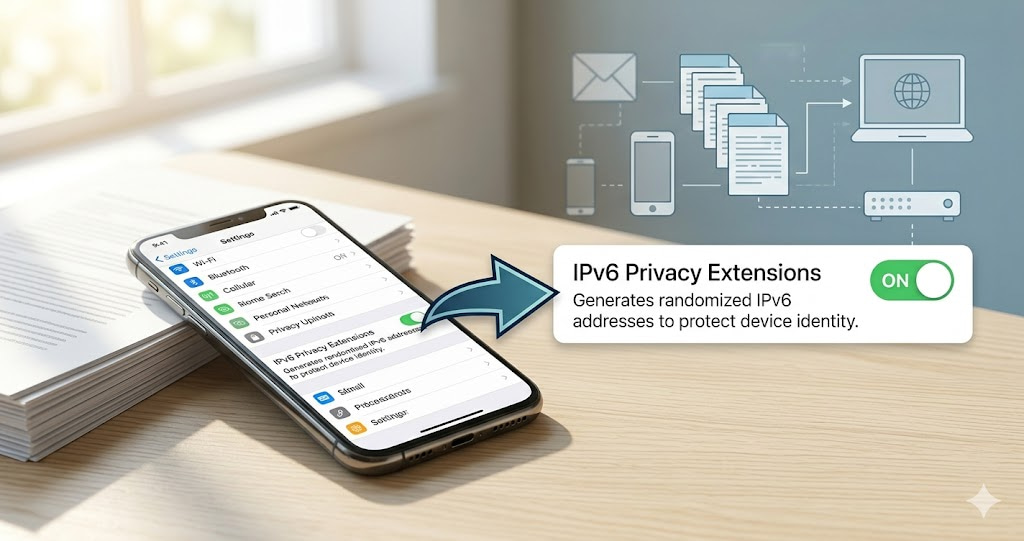
Most people know their IP can reveal location. Fewer know that IPv6 addresses, by default, embed your network adapter's MAC address — a permanent hardware ID unique to your device. This lets websites track your specific device across sessions, browsers, and cookie clears. The fix exists in your OS settings. Whether it is protecting you right now depends on your configuration — which most users have never checked.
Your IPv6 Address Contains Your Device's Hardware ID — Unless You Change This Setting
Most people know their IP address can reveal their location. Fewer know that IPv6 addresses, by default, contain your device's MAC address — a hardware identifier unique to your network adapter. This means websites can identify your specific device across different sessions, different browsers, even after clearing cookies, as long as you have the same IPv6 address and the same hardware.
The fix exists. It is called IPv6 Privacy Extensions. It is off by default on some operating systems and on by default on others. Whether it is protecting you right now depends on your OS version and configuration — neither of which most users have ever checked.
Check your current IP and whether IPv6 is active at tracemyiponline.com/ip-lookup — free, no signup.
"EUI-64 address generation — the original IPv6 method that embeds MAC addresses into IP addresses — was never intended as a privacy feature. It was designed for network management convenience. The privacy implications were understood fairly quickly after IPv6 deployment began, which is why RFC 4941 defined temporary addresses in 2007. The problem is that adoption of privacy extensions remains inconsistent. Some operating systems enable them by default. Some do not. Some enable them but allow applications to request the stable address anyway. The result is a patchwork that most users have no visibility into."
— Dr. Lena Hoffmann, IPv6 Security and Privacy Research, Technical University of Munich
The Technical Background: How IPv6 Addresses Are Generated
When IPv4 was the standard, your IP address was assigned by your ISP and changed periodically — providing some natural privacy through address rotation. IPv6 changed this dynamic in ways that were not initially obvious to most users.
The original IPv6 address generation method, called EUI-64, works like this: your network adapter has a MAC address — a 48-bit hardware identifier that is essentially permanent and globally unique. EUI-64 takes that MAC address and embeds it into the 64-bit host portion of your IPv6 address. The result is an IPv6 address that is globally unique, stable, and directly linked to your hardware.
What this means: any website you visit with an EUI-64 IPv6 address can see your device's hardware fingerprint directly in your IP address. No cookies needed. No tracking scripts needed. Your network adapter's serial number is in the address itself.
Privacy Extensions (RFC 4941) addressed this by generating temporary, random host portions instead of MAC-derived ones. These temporary addresses change regularly and cannot be linked back to your hardware.
Which Operating Systems Enable IPv6 Privacy Extensions By Default
Windows (10 and later): Privacy Extensions are enabled by default on most configurations. Windows generates temporary IPv6 addresses that rotate every few days. However, some applications specifically request the stable (MAC-derived) address, which Windows provides even with Privacy Extensions enabled. Check your current IPv6 address at tracemyiponline.com/ip-lookup — if the last 64 bits look random, Privacy Extensions are likely working.
macOS: Privacy Extensions are enabled by default since macOS 10.7 (Lion). Apple also implements additional privacy measures that further randomize the IPv6 host portion. macOS users are generally well-protected by default.
iOS: Privacy addresses enabled by default. Apple has been aggressive about IPv6 privacy on iOS.
Android: Variable. Older Android versions did not enable Privacy Extensions. Android 8 (Oreo) and later generally enable them by default. Earlier devices may still use EUI-64 if they have not been updated.
Linux: Configuration varies by distribution and network manager. Ubuntu and Fedora generally enable Privacy Extensions in modern versions, but server distributions may not.
How to Check and Enable IPv6 Privacy Extensions
Windows — verify: Open Command Prompt. Run netsh interface ipv6 show privacy. Look for "Temporary Address Preferred Lifetime" — if this shows a value rather than "Disabled," Privacy Extensions are active.
Windows — enable if disabled: Run Command Prompt as administrator. Run netsh interface ipv6 set privacy state=enabled. Restart your network adapter or computer.
Linux — verify and enable: Run sysctl net.ipv6.conf.all.use_tempaddr. Value of 2 means temporary addresses preferred — the correct setting for privacy. Edit /etc/sysctl.conf to set net.ipv6.conf.all.use_tempaddr = 2 permanently.
After making changes, check your IPv6 address again at tracemyiponline.com/ip-lookup to confirm the host portion has changed and appears random rather than MAC-derived.
Before vs After: EUI-64 vs Privacy Extension IPv6 Addresses
EUI-64 IPv6 address (MAC-derived, no Privacy Extensions): 2001:db8:1234:5678:02a0:4cff:fe78:9abc/64. The host portion contains the embedded MAC address. Any site seeing this address over time can identify your specific network adapter — regardless of which browser you use or whether you clear cookies.
Privacy Extension temporary address: 2001:db8:1234:5678:4f2a:8e1b:c3d7:91f2/64. The host portion is randomly generated. Changes every few days. Cannot be linked back to hardware.
After enabling Privacy Extensions and verifying the change at tracemyiponline.com/ip-lookup: the IPv6 address should look random in the host portion. ✅
For California and New York Users: IPv6 Privacy and CCPA
California's CCPA classifies IP addresses as personal information. An IPv6 address that contains your network adapter's MAC address is personal information in a more specific sense — it is a persistent hardware identifier that uniquely identifies your device regardless of session, browser, or network. Under CCPA, businesses collecting EUI-64 IPv6 addresses are collecting a highly stable device identifier.
California and New York users concerned about device-level tracking should verify Privacy Extensions are enabled and then confirm the change at tracemyiponline.com/ip-lookup.
For London and UK Users: IPv6 Privacy and UK GDPR
The ICO has confirmed that IP addresses — including IPv6 addresses — are personal data under UK GDPR when they can identify an individual or device. An EUI-64 IPv6 address containing a MAC address is particularly easy to link to a specific device. UK users should verify Privacy Extensions are enabled on all devices. Check the result at tracemyiponline.com/ip-lookup.
For Toronto and Ontario Users: IPv6 Privacy Under PIPEDA
The OPC's guidance on device identifiers covers MAC addresses as personal information when they can be linked to individuals. An IPv6 address that embeds a MAC address directly is therefore personal information with a particularly persistent hardware link. Canadian users should enable Privacy Extensions and verify at tracemyiponline.com/ip-lookup. Combine with a VPN verified at tracemyiponline.com/vpn-detector for broader IP privacy protection.
For Sydney and Australian Users: IPv6 Privacy and the Privacy Act
Australia's Privacy Act covers device identifiers as personal information when they can identify individuals or devices. An EUI-64 IPv6 address is among the more persistent device identifiers that ordinary users generate. Australian users running older Android devices or Linux systems should specifically verify Privacy Extensions are enabled. Check current IPv6 address at tracemyiponline.com/ip-lookup.
MAC Address Randomization — The Related WiFi Privacy Feature
Modern operating systems now also randomize MAC addresses for WiFi connections. Without MAC randomization, your phone's WiFi adapter broadcasts its real MAC address when scanning for networks, which allows retailers and network operators to track your physical presence across locations even when you are not connected.
iOS has randomized per-network MAC addresses since iOS 14. Android implemented it for most manufacturers in Android 10. Windows 10 has an optional "random hardware addresses" setting in WiFi Advanced Options.
MAC randomization and IPv6 Privacy Extensions address related but different problems. Randomization protects your physical location from WiFi tracking. Privacy Extensions protect your network identity from IP-based tracking. Both should be enabled for comprehensive privacy on modern hardware.
Frequently Asked Questions
Is the IP Lookup tool free?
Yes — 100% free, no signup. Visit tracemyiponline.com/ip-lookup and see your current IPv4 and IPv6 addresses plus all associated data instantly.
How do I know if my IPv6 address contains my MAC address?
Check your current IPv6 address at tracemyiponline.com/ip-lookup. Then find your network adapter's MAC address in your OS settings. Look at the last 64 bits of your IPv6 address. If you see the MAC address embedded in a modified form (with ff:fe inserted in the middle), you have an EUI-64 address and Privacy Extensions are not active.
Does enabling IPv6 Privacy Extensions break anything?
For most users, no. The temporary addresses work the same as stable addresses for all normal internet use. Some network administrators use stable IPv6 addresses for network management — corporate-managed devices may have their own policies.
Does a VPN protect against EUI-64 IPv6 tracking?
A VPN that properly handles IPv6 routes your IPv6 traffic through the tunnel. But a VPN with an IPv6 leak does not help. Verify at tracemyiponline.com/vpn-detector. Privacy Extensions provide protection independent of VPN, so enabling both is the thorough approach.
My device does not have IPv6 — does this apply to me?
If your connection is IPv4-only, EUI-64 is not a concern because there is no IPv6 address. Check at tracemyiponline.com/ip-lookup whether you have an IPv6 address.
A Three-Minute Fix That Most People Do Not Know They Need
IPv6 Privacy Extensions are technically important, implemented inconsistently across operating systems, and never mentioned in typical privacy guidance. If your device is generating EUI-64 addresses, your hardware ID is in every IP packet you send. The fix is available in your OS settings and takes three minutes.
Check whether you have an IPv6 address at tracemyiponline.com/ip-lookup. Verify VPN IPv6 handling at tracemyiponline.com/vpn-detector. Check DNS at tracemyiponline.com/dns-lookup. All free at TraceMyIPOnline.com.